
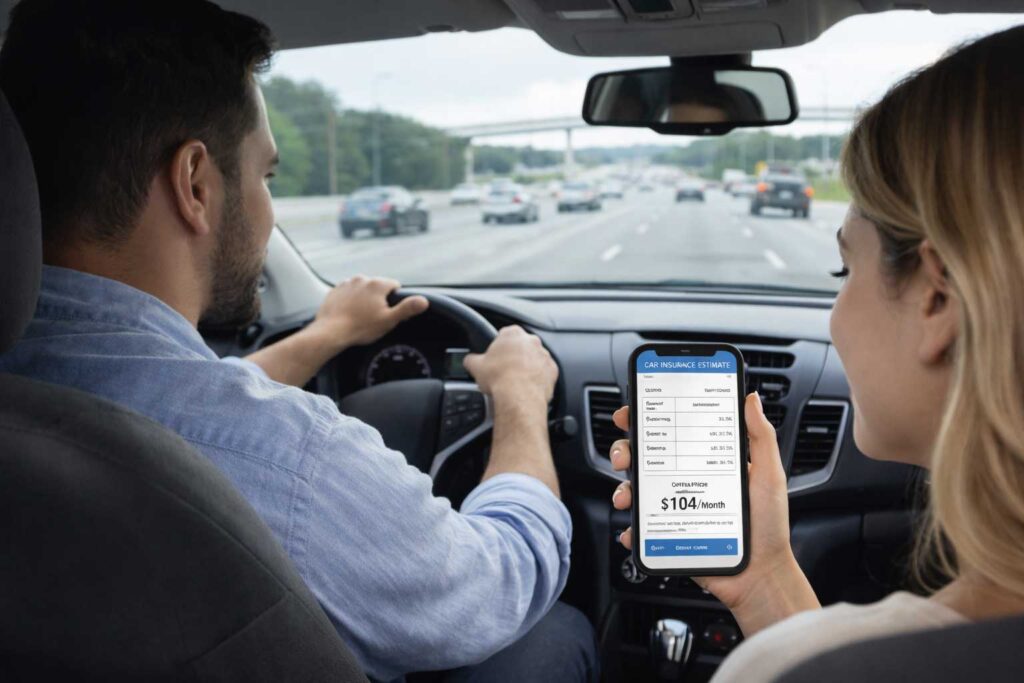
How to Use the Car Insurance Calculator
The calculator above provides an educational cost estimate based on the information you select. It is not a final insurer quote, but it can provide a preliminary range for budgeting and comparison before you request actual prices from insurance companies.
Use the result as an initial budgeting range. After calculating, compare actual quotes that use similar liability limits, deductibles, vehicle protections, drivers, and policy terms.
Calculator Inputs and Why They Matter
| Calculator input | Why it can affect the estimate | What to check |
|---|---|---|
| State | Insurance requirements, market conditions, available coverages, claim costs, and rating rules differ by state. | Select the state where the vehicle is primarily registered and garaged. |
| ZIP code | Location can affect pricing because traffic patterns, theft rates, claim frequency, repair costs, and other local conditions vary. | Use the ZIP code where the vehicle is normally kept, not an unrelated mailing address. |
| Coverage level | A liability-focused policy generally costs less than a policy containing higher liability limits, collision, comprehensive, or additional protections. | Do not compare minimum coverage and broader coverage as though they were equivalent policies. |
| Driver profile | General driver characteristics can affect the estimated risk and cost range used by the calculator. | Choose the profile that most closely reflects the primary driver rather than the option that produces the lowest result. |
| Deductible | A higher deductible may reduce the estimated premium but increases the amount the policyholder may need to pay after certain covered losses. | Select a deductible that would be manageable after an accident or other covered claim. |
How the Calculator Estimate Is Built
The calculator uses the selections you provide to generate a simplified educational monthly estimate. The result is intended for preliminary planning and does not reproduce the underwriting or rating system of a specific insurance company.
Actual insurers may evaluate additional driver, vehicle, location, coverage, discount, and payment information before producing a final premium.
NAIC consumer guidance explains that auto insurance pricing can reflect factors such as location, driving information, vehicle use, coverage choices, deductibles, prior insurance, and other insurer-approved rating considerations. [1] [2]
Why Your Final Quote May Be Different
A final insurer quote may differ from the calculator result because the insurer can verify information that is not included in the simplified calculation.
- Exact vehicle information: the VIN, model, trim, safety equipment, repair costs, and vehicle value can affect pricing.
- Driving and claims history: accidents, violations, claims, and experience may be reviewed.
- Household drivers: other licensed residents or regular vehicle users may affect the policy.
- Garaging address: the insurer may use a complete address rather than only a ZIP code.
- Prior insurance: continuous coverage, previous limits, and a possible lapse may affect eligibility or price.
- Discount verification: some discounts require documents, enrollment, bundling, telematics, or a particular payment method.
- Payment plan: installment fees, down payments, and paid-in-full discounts may change the total cost.
How to Use the Estimate Before Comparing Quotes
Use the calculator result to establish a preliminary budget. Then compare actual insurer quotes using a matching coverage structure.
- Match liability limits: compare quotes containing similar bodily injury and property damage limits.
- Match physical-damage coverage: verify whether collision and comprehensive coverage are included.
- Match deductibles: keep collision and comprehensive deductibles consistent across proposals.
- Compare the same policy period: do not compare a six-month total directly with a 12-month total.
- Review the total premium: include down payments, installment fees, policy fees, and confirmed discounts.
- Check optional protections: rental reimbursement, roadside assistance, medical payments, PIP, and uninsured motorist coverage may differ.
The Insurance Information Institute recommends comparing the same types and amounts of coverage and reviewing deductibles, payment arrangements, licensing, complaint information, and insurer financial condition. [3]
Calculator Estimate vs. Insurer Quote
A calculator estimate is a preliminary educational range generated from simplified inputs. It can help with planning, but it is not an offer to insure a vehicle or driver.
An insurer quote is more specific because it is based on a more complete application and the company’s underwriting and rating process. Even a quote may change if important information is corrected or verified before the policy is issued.
The issued policy and declarations page control the actual premium, coverages, limits, deductibles, endorsements, exclusions, and effective date.
What the Calculator Includes and Does Not Include
| Area | Included in the educational estimate | May require an insurer quote |
|---|---|---|
| Location | State and ZIP-code information selected in the calculator | Complete garaging address and insurer-specific territory information |
| Driver | Broad driver-profile selection | License history, accidents, violations, claims, household drivers, and years of experience |
| Vehicle | General assumptions used by the national calculator | VIN, model, trim, safety features, ownership, financing, mileage, and vehicle use |
| Coverage | General coverage-level and deductible selections | Exact limits, endorsements, optional coverages, exclusions, and state-specific selections |
| Discounts | No guaranteed insurer-specific discount | Eligibility for bundling, telematics, safe-driver, payment, student, vehicle, or other discounts |
| Price | Educational monthly estimate | Final premium, fees, payment schedule, down payment, and policy term |
Helpful Next Pages
| Next step | Related resource | Why it helps |
|---|---|---|
| Understand coverage | Type of Coverage | Explains liability, collision, comprehensive, uninsured motorist coverage, and other common policy protections. |
| Compare real quote paths | Instant Quotes | Explains what can happen after submitting a quote request and how preliminary results may differ. |
| Compare prices properly | Rate Comparison | Helps place multiple quotes on comparable terms before choosing a policy. |
| Compare insurance companies | Compare Providers | Explains factors to review beyond the initial premium. |
Frequently Asked Questions
Is this car insurance calculator accurate?
It provides an educational estimate rather than a guaranteed insurer quote. The final premium may change after the insurer reviews driver, vehicle, location, coverage, discount, and payment information.
Why does the calculator ask for my state and ZIP code?
Insurance markets, requirements, claim patterns, repair costs, theft risk, and approved rating practices can vary by state and location.
Why does coverage level affect the estimate?
A policy with broader coverage or higher limits generally provides more protection than a minimum-coverage policy. The two policies should not be expected to have the same cost.
Why can a higher deductible lower the estimate?
A higher deductible may reduce the premium because the policyholder agrees to pay more after certain covered claims. The deductible should still be an amount that can be paid without creating serious financial difficulty.
Does the calculator require sensitive personal information?
The educational calculator uses general selections such as state, ZIP code, coverage level, driver profile, and deductible. An insurer may request more detailed information when producing an actual quote.
Can I obtain a real quote after calculating?
Yes. After reviewing the estimate, you can continue to available quote paths. Compare actual proposals using similar coverage limits, deductibles, drivers, vehicles, and payment terms.
Does calculating an estimate mean coverage has started?
No. Coverage normally begins only after an insurer accepts the application, receives any required payment, and confirms the policy’s effective date.
References
Compare Real Car Insurance Quote Options
Enter your ZIP code to continue from an educational estimate to available quote and provider paths.